Inventory Adjustment Form
Document and approve inventory corrections after stock variances, damage, expiry, receiving errors or other verified inventory discrepancies.
See the printable inventory adjustment form
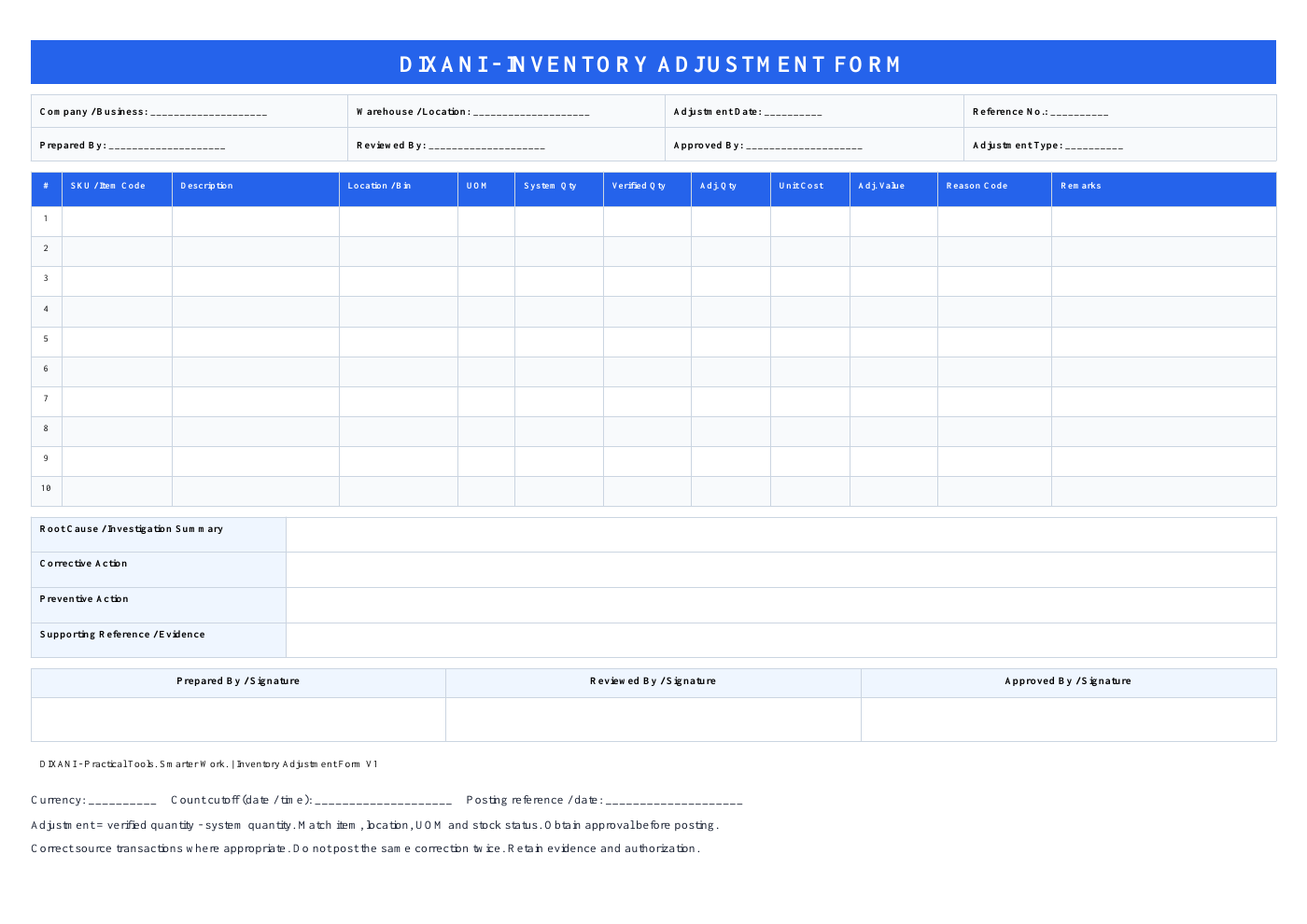
Excel includes 25 entry rows, formulas and dropdowns. The one-page PDF includes 10 rows for handwritten entries and signatures; it is not an interactive fillable PDF.
Use one currency per form. Excel defaults to USD and offers 19 currencies; selecting a currency does not convert amounts.
Document inventory adjustments properly
Use the form after a stock discrepancy has been verified and an inventory correction needs to be documented, reviewed and approved.
Adjustment Quantity
The Excel version automatically calculates the difference between system quantity and verified physical quantity.
Adjustment Value
Enter the unit cost to calculate the financial value of each inventory adjustment.
Reason Codes
Record common causes such as counting errors, receiving errors, damage, expiry and unrecorded movements.
Approval Record
Document preparation, review and authorization before the inventory correction is posted.
Excel automation and printable PDF
Choose the format that fits your inventory-control process.
Where the adjustment form fits
The adjustment should normally come after the stock difference has been counted and investigated.
Complete the physical stock count.
Use the Inventory Variance Report Generator to compare the confirmed quantities.
Follow the inventory variance investigation checklist. Record what is confirmed and what remains unexplained.
Document and approve the inventory correction.
How to use the inventory adjustment template
- Confirm the scope. Record the warehouse, reference, date and count cutoff. Compare the same SKU, location, unit of measure and stock status.
- Verify the quantities. Use a recount and transaction review. Enter zero for a confirmed zero balance; leave unknown quantities blank.
- Review the proposed difference. Excel calculates verified quantity minus system quantity. Keep formula columns H and J intact.
- Document value and evidence. Enter unit cost in the selected currency, choose the supported reason and explain the findings. Value summaries show “Incomplete” when a calculated line has no numeric unit cost.
- Approve and record posting. Follow your organization's approval procedure. Retain the evidence, authorization and final system transaction reference.
Worked example: a verified two-unit shortage
Fictional example: the system shows 100 units, a verified count shows 98, and unit cost is USD 25. The proposed quantity correction is 98 − 100 = −2 units. Its value is −2 × 25 = −USD 50.
This calculation does not establish the cause or authorize posting. If an unposted issue explains the difference, complete the appropriate issue transaction instead of also posting a shortage adjustment.
Review positive and negative values separately. A small net value can hide larger shortages and excesses. “Calculated Lines” counts numeric comparisons, including zero differences; it is not an approval or completeness check.
Why might inventory require adjustment?
Count Error — incorrect physical counting or previous count entry.
Receiving Error — stock received but recorded incorrectly.
Picking / Issue Error — inventory issued without the correct system transaction.
Damage or Expiry — unusable stock requiring an approved write-off or quantity correction.
Wrong Location / UOM — inventory stored or recorded using an incorrect location or unit of measure.
Verify before posting the adjustment
An inventory adjustment changes the official stock record. Verify the evidence and required approval before posting. A wrong location may need a transfer; a missing receipt may need a receipt correction. Damaged stock may require a status change or approved write-off rather than a physical shortage adjustment.
Keep supporting evidence such as stock-count sheets, variance reports, receiving documents, issue records, transfer documents or other relevant records according to your business procedure.
Inventory Adjustment Form — Frequently Asked Questions
What is an inventory adjustment form?
An inventory adjustment form documents an approved correction to an inventory record when the verified stock quantity differs from the quantity recorded in the system.
How is adjustment quantity calculated?
In the Excel template, adjustment quantity is calculated as verified physical quantity minus current system quantity.
What does a negative adjustment mean?
A negative adjustment reduces recorded inventory. For example, if the system shows 100 units but only 98 are verified, the adjustment quantity is -2 units.
What does a positive adjustment mean?
A positive adjustment increases recorded inventory. For example, if the system shows 50 units but 53 are verified, the adjustment quantity is +3 units.
How do I print the Excel form?
Select A1:L51 on the Adjustment Form sheet. Print the selection in landscape, fit to one page wide and leave page height automatic. Check print preview for readable text. Use the PDF for a fixed one-page, 10-line form.
Should inventory adjustments require approval?
Businesses should follow their own inventory-control procedures. For stronger control, material adjustments are commonly reviewed and authorized before being posted to the inventory system.